

Download The Sims FreePlay Android Game, Create your Sims Game for Free on Android

- Design dream homes or get fully-furnished houses for your Sims
- Care for pets, grow gardens, even bake a cake
- Give your Sims careers and earn Simoleons to improve their situations
- Complete goals for Lifestyle Points, then spend them on hip items
- Live with your Sims in real-time (when it’s day or night for you, it’s the same for your Sims)!
 Read More
Add your Comment
0
comments
Read More
Add your Comment
0
comments
How To Recharge Your Phones With Your Atm Cards
Hello readers, it has been long i updated you guys, but today i just decided to leave every other things aside. Today i wanted To share with you an Idea on How To Recharge Your Phone With Your Atm Cards i know you will love this post. Just read to the end, i bet you you wont mind not buying airtime from shops anymore, :-D With the level of technology in Nigeria, you can now use your atm card to recharge your mobile phones. this has not limit any type of atm cards unless its state by the atm card issuer which is always the bank. Not to talk much lets know How To Recharge With Your Atm Card This is a simple Process, what you need to do is slot in your atm card, whether is atm debit, credit card, prepaid atm card,etc. Enter you password, which will now lead you to a section you will see withdraw. inquiry, transfer, airtime recharge And so many others click on airtime recharge, choose on the network Provider you want to recharge, it might be mtn, glo, etisalat, airtel, starcom e.t.c Now after choosing the network provider you intend recharging click on the amount you want to recharge after that click on proceed which will now request you to put you phone number. simply put you phone number and click proceed or finish. You can now bring out your card Shortly, You will recieve a notification sms that will informing you of the amount recharged. you can do this as many times as possible. No limitation. Why i love this is that you are given some bonus once you withdraw using your atm card. I hope this helps.


 Read More
Add your Comment
1 comments
Read More
Add your Comment
1 comments
How to Get Your Certificate & Key File Instantly for Signing Apps
 This process however is very lengthy compared to the process I mentioned above.
 On an average getting your Certificate and Key File from either of them will take you around and at least 24 hours to 48 hours (or more).
Still, to make things really easy for you here is a step by step guide I prepared just for you – my good friends and loyal subscribers & visitors!
In this guide I will be using Site 1 as the example site.
Site 2 works the same way compared to Site 1 so one guide should do it even for the newest of newbies.
Step 1: Simply click on any one of the 2 links of the sites I specified. For this guide I am using Site 1 as an example like I told you earlier. After clicking you should be taken to a page for free registration. Here is an image with pointers on what and how to fill up the vacant forms.
Step 2: After filling up the registration form as shown above you will have to submit your registration application. This will show you the message “Registered Successfully” and forward you to the main page. You will now have to click the top right Login Button and fill the blank fields with your registration info
Step 3: After you successfully fill out the Login Form with the username and password and have clicked the Login button you will be taken to the back-end of your account. While you are logged in and browsing the back-end of your account you will see a button which allows you to apply for a free Certificate and Key for your IMEI. Now click on that “Apply Certificate” button
Step 4: After you click on the orange “Apply Cer” button you will be taken to another blank form where you will have to fill up the info required for acquiring your certificate. It will ask for your Symbian device’s IMEI number, Phone’s maker and Model Number and for your remark. The remark field is simply an extra field so that you can tag this request and write anything relevant that you want to include. You can find your IMEI number by pressing the following combination on your phone’s keypad. The combination to find your IMEI number is: *#06#
Step 5 – After you have submitted your request to acquire your very own Certificate and Key file as shown in step 4, all you have to do is wait for 24 hours to 48 hours (or maybe even 72 hours) and check back to download your generated Certificate and Key. The time taken to have your files ready usually takes a day on average but it can take much longer.
Step 6 – To find out if your files are ready you will have to sign in again on the site. To do this you will have to click on the Login menu as shown below. Once you are logged in simply click on the”My Certificate” menu as shown on the image below. If your files are ready then the “State” message under the “My Certificate” menu will be shown as Normal. If it is anything else but Normal then you will again have to check back after 24 hours or so.
Step 7 – Once your State Message is shown as “Normal” as shown on the image above, it means your Cer file and Key file are ready to be downloaded. All there is left to do is to simply click on the .Cer file once and click on the .Key File once. They are located under the “Operate” header of the table shown below. These 2 files are what you need to Sign your Unsigned Applications, Games or Themes. These 2 files will also eliminate error messages such as “Certificate Expired” or “Unable to Install Protected Application from Unprotected Supplier” on your Symbian device. Once you have the 2 files, click on the “Log Out” link!
FOLLOWING SUPPORTED PHONES
E50, E51, E60, E61, E62, E63, E65, E66, E71, E72, E75, E90, N70, N71, N72, N73, N75, N76, N77, N78, N78, N80, N81, N81 8GB, N82, N85, N86, N95, N95 8GB, N96, N97, N97 Mini, X3, X6 Xpress Music, 5800, 5700, 5500, 5070, 5130, 5200, 5220, 5230, 5300, 5310, 5320, 5530, 5610, 5630, 6020, 6030, 6060, 6070, 6080, 6080b, 6085, 6086, 6101, 6103, 6110, 6111, 6120 Classic, 6121c, 6124c, 6125, 6126, 6131, 6210 Navigator, 6220c, 6230, 6230i, 6233, 6234, 6267, 6280, 6290, 6288, 6300, 6301, 6303c, 6350, 6500c, 6500s, 6555, 6700, 6600 etc and more.
DON'T FORGET TO USE THE SHARE BUTTON TO HELP SHARE THIS POST TO YOUR FRIENDS AND LIKE THE POST IF IT HELPS YOU. TO GET OUR POST EACH TIME WE UPDATE JUST CLICK ON THE LINK Subscribe to princeonline blog by Email
Read More
Add your Comment
0
comments
Set Google as your Default Search in IE
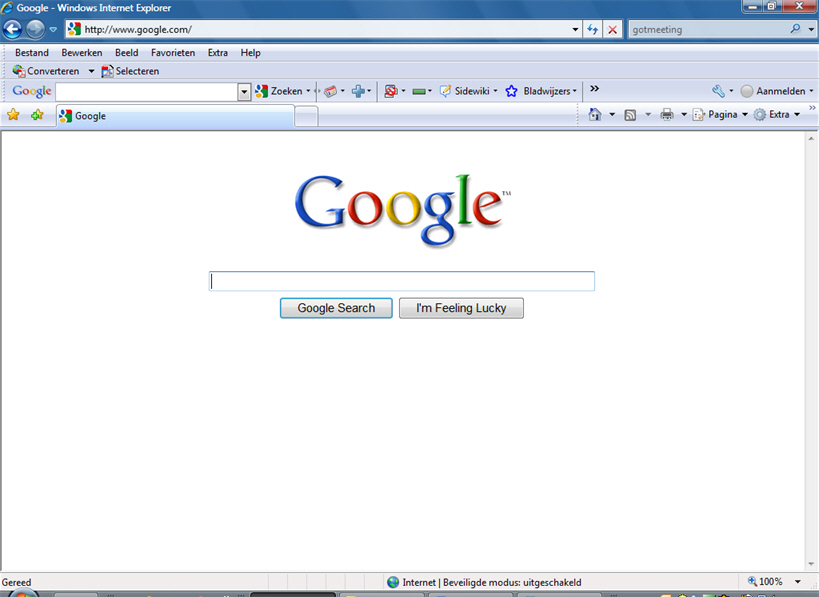 I just of sharing with you guys how to make Google your homepage in internet Explorer IE
To Add Google as your default search engine in IE.
Copy everything in the box below into NOTEPAD
CODE
REGEDIT4
[HKEY_CURRENT_USER\Software\Microsoft\Internet Explorer\Main]
"Search Page"="http://www.google.com"
"Search Bar"="http://www.google.com/ie"
[HKEY_CURRENT_USER\Software\Microsoft\Internet Explorer\SearchURL]
""="http://www.google.com/keyword/%s"
[HKEY_LOCAL_MACHINE\SOFTWARE\Microsoft\Internet Explorer\Search]
"SearchAssistant"="http://www.google.com/ie"
1. Save the file as Google.reg
2. Double click to import to your registry.
I hope that helps
DON'T FORGET TO USE THE SHARE BUTTON TO HELP SHARE THIS POST TO YOUR FRIENDS AND LIKE THE POST IF IT HELPS YOU. TO GET OUR POST EACH TIME WE UPDATE JUST CLICK ON THE LINK Subsbcribe to princeonline blog by Email
Read More
Add your Comment
0
comments
SEND FREE UNLIMITED TEXT ON GLO LINE NOW
 tell you that you are entering into a Profile.
2. Just Press 1 and Dial it to Activate it.
3. You can Start Sending Message Freely to other Glo Users!
NOTE : If you Observe that you can no longer send Text Freely again,
Dial *100*8*1# to Renew it..
Keep Flexing, And always Use the Code Vice Versa to keep it Rocking
while it Last.
DON'T FORGET TO USE THE SHARE BUTTON TO HELP SHARE THIS POST TO YOUR FRIENDS AND LIKE THE POST IF IT HELPS YOU. TO GET OUR POST EACH TIME WE UPDATE JUST CLICK ON THE LINK Subscrie to princeonline blog by Email
 Read More
Add your Comment
1 comments
Read More
Add your Comment
1 comments
HowTo Convert Nokia Mobile Phones TO Wifi Hotspot
 Now you can use your 3G or mobile
internet on multiple computers or laptops
using wifi and with your Nokia mobile
phone.There is a application called
Joikuspot which will automatically
convert your phone into a
hotspot.Joikuspot has been awarded the
Best Application by nokia in 2010.
There is a free as well as premium version
of Joikuspot available.The premium
Version cost Eur 9.00.The free version
support all the features required by a
common user.
Here are the features of free version Of
Joikuspot
With the free Edition your phone turns
into an open WiFi HotSpot with basic
internet protocol support
New simple WiFi Tethering UI connects
your laptop or iPad to internet via your
phone HotSpot with a click
The Light version is 100% FREE with no
time limitations. No obligations to get
the commercial Premium Ed
Here is the list of the mobile phones
supported by joikuspot
N8, E7, C6-01, C7, E51, E52, E55, E60, E61,
E61i, E63, E65, E66, E71, E72, E73, E75,
E90, N78, N79, N80, N81, N81 8GB, N82,
N85, N86, N91, N93, N93i, N95, N95 8GB,
N95 Americas, N95 8GB Americas, N96,
N97, N97 Mini, 5530 XpressMusic, 5630
XpressMusic, 5730 XpressMusic, 5800
XpressMusic, C5-03, C6, E5, X5, X6, 6710
Navigator, 8800 Erdos, E6, X7
You can download Joikuspot directly from
the Ovi store or from the official site
using the link given below
http://www.joiku.com/products/joikuspot_light
DON'T FORGET TO USE THE SHARE BUTTON TO HELP SHARE THIS POST TO YOUR FRIENDS AND LIKE THE POST IF IT HELPS YOU. TO GET OUR POST EACH TIME WE UPDATE JUST CLICK ON THE LINK Subscrie to princeonline blog by Email
Read More
Add your Comment
0
comments
Download Mobile Mozilla Firefox
 When it’s comes Mobile internet browsing Opera Mini is
widely used as a wap browser worldwide. Now, there is a
good news for Firefox Likewise. Mozilla Firefox is working hard
these days to come up with their Mobile browser version.
Download Firefox for mobile:
Visit www.Firefox.com/m
The version is able to encrypt all the information a user
receives and sends it back through the cloud. Also it can
sync with the desktop version of the browser.
Also Mozzila which is considered to be the parent company
of Firefox is developing versions for Google’s Android as
well as Microsoft’s Windows operating systems.
Those who have iPhones and want to have Firefox on their
desktop, they will have to wait a bit, as the company has to
synchronize their desktop.
But still Opera is considered to be the most popular mobile
browser at present. It is available for many mobile
handsets.
Features: Firefox, a well known browser, is preparing to
unveil its version for mobiles. Jay Sullivan who was in
charge of the project said that the mobile version
underwent various tests and would be launched by the end
of the year. He also added a user would not have to sit in
the evening and work on their PC, instead he would be able
to walk. In case he received some urgent documents that
he had to read there would be no necessity to back home
and check his e-mail, as his mobile would be equipped
with Firefox mobile version.
It’s built on the same engine as the desktop Firefox 3.6 and
is packed full of familiar features.
Read More
Add your Comment
1 comments
How To Get Free Megabite Internet Bundle On Etisalat
 Many month back ETISALAT
introduce a data bundle, in which
you get 15MB after recharging
#200 above in a week!
WHAT ABOUT PEOPLE LOADING 500
AND ABOVE you can only be given 15MB no mater how much you recharge in a
week! STEPS TO FOLLOW TO GET MORE
THAN 15MB ANYTIME YOU
RECHARGE ON YOUR ETISALAT
receive a message telling you
may be your request have been
granted or not.
NOTE =>
be you have been on the tariff.
recharge #200 airtime you
receive a
message immediately that you
have been given #15MB free
without removing your airtime.
megabyte dial *220*2# to cancel
the
tariff and repeat the first step
before recharging another #200,
after you recharge another #200 you will be notify that you
have been given 15MB free.
you
want to get free MB
immediatly you get the free
15MB so that #20 will not be
deducted from your account.
Subscribe to prince online blog by Email
FOLLOWUSONFACEBOOK
FOLLOWUSONTWITTER
Check out this GRAB MY RSS FEED.
Check out this Subscribe To Download Free Ebooks and Application&Info.
Always drop your comments each time you visit our post, so that we can keep helping you better.
Read More
Add your Comment
0
comments
How to Subscribe to MTN Caller Tunes in Nigeria
 I was so surprise to hear that some people still find it difficult to Subscribe to Mtn ng caller tune services, so i decided to share with the newbies
 Press 1 to download a new caller tune
Enter the caller tune code for the song you want
End it with a hash(#)
Follow the voice prompt to complete your subscription
The new caller tune will be activated and you will receive a text message saying:
"Your callertunez was processed successfully"
How to set up a Personalized or Customized MTN Caller Tune
So what if you want to set up your own custom tune as the caller tune?, well MTN provides this service and the steps to do it are listed below:
To set up DIY service, here's what to do:
Dial the same Caller tune zone on 4100
Press 4 to DIY your favourite song or tune
Then press 1 to begin
After the beep, record your tune to the phone
e.g voice or song from your background (Limited time allowed)
Press # when finished

Listen to the tune when replayed
Press 1 to submit it
You would hear a voice feedback telling you that you have succeeded. You will receive a text message shortly.
Please note that calling 4100 will deduct out of your credit.
Also, the service costs N50.00 per month and for every caller tune set up for your phone.
DON'T FORGET TO USE THE SHARE BUTTON TO HELP SHARE THIS POST TO YOUR FRIENDS AND LIKE THE POST IF IT HELPS YOU. TO GET OUR POST EACH TIME WE UPDATE JUST CLICK ON THE LINK Subscribe to prince online blog by Email FOLLOWUSONFACEBOOKFOLLOWUSONTWITTER LIKEOURFACEBOOKPAGE
Check out this GRAB MY RSS FEED.
Check out this Subscribe To Download Free Ebooks and Application&Info.
Always drop your comments each time you visit our post, so that we can keep helping you better.
Read More
Add your Comment
0
comments
Names Of World Expensive phones|prices
between £100 and £300, with only Vertu, a division of Nokia,
manufacturing uber-premium phones. With prices starting at
around £4,000 Vertu phones are only for the filthy rich, and the
super famous.
However, Vertu’s monopoly of the luxury phone market is
coming to an end with the launch of several new luxury mobile
makers, including Gresso, Mobiado and GoldVish. Other mobile
phone manufacturers are also partnering with luxury brands to
produce a range of premium mobile phones, such as LG and
Prada, D&G and Motorola, and now Tag Heuer and Modelabs.
Finally, there are the ridiculous, super-expensive one-offs, made
purely for headline grabbing, such as Goldvish’s “Le million”,
worth a cool $1,000,000, see below for details!
1. Goldvish “Le million” = $1,000,000 (£540,540)
http://Goldvish
A PR stunt it may be, and they surely can’t be expecting to sell
any, but the Goldvish “Le million” is officially the most expensive
mobile phone in the world, according the Guiness Books of
Records. There’s even been talk of a $1.3million phone, but this
has fewer diamonds than the Goldvish so I can’t see where the
extra expense comes from! The “Le million” is a one off, featuring
a blinding 120 carats worth of VVS-1 grade diamonds, according
to designer Emmanuel Gueit. If $1 million is out of your price
range. the Geneva-based Goldvish also offer several other
diamond-encrusted 18k gold models in your choice of rose,
yellow, or white, starting at a much more reasonable $25,600
(£13,837).
Source
2. Vertu Signature Cobra = $310,000 (£167,567)
Vertu Cobra
Vertu is now taking orders for the Signature Cobra, designed by
French jeweler Boucheron, but you had better be quick as only 8
are being made! The Cobra will feature one pear-cut diamond, one
round white diamond, two emerald eyes and 439 rubies. Vertu
will also be offering a “cheaper” version, ruby free, at $115,000
(£62,162).
Source
3. Sony Ericsson Black Diamond = $300,000 (£162,162)
Sony Ericsson Black Diamond
Apparently the Black Diamond will be available in 2007, not from
Sony Ericsson but by a company called VIPN. Initially only 5
unique numered pieces will be available for the unbelievable price
of, wait for it… $300,000.
With regards to the specifications, don’t expect anything
remarkable for your money. It will have Quad-band with Wi-Fi,
an Intel 400Mhz processor running windows mobile 5, and a
touch sensitive 2? screen. It will also include internal memory of
128mb and will come with a 2Gb SD card for external storage,
plus a respectable 4 Megapixel camera.
The designer Jaren Goh has used some pretty impressive
materials for the build, featuring titane with polycarbonate, mirror-
finish cladding and diamonds.
Source
4. Vertu Diamond = $88,000 (£47,567)
Vertu Diamond
The Diamond is Vertu’s premium range of high-end mobile
phones. As the name suggests the handsets in the Diamond
range are diamond-encrusted handsets made from platinum.
Only 200 of the handsets are being produced, the most expensive
believed to be worth an estimated £50,000.
5. Motorola V220 Special Edition = £28,000 ($51,800)
Motorola
Austrian designer Peter Aloisson, has taken a standard Motorola,
studded it with 1,200 diamonds and added a keyboard inlaid with
18 carat gold. The outcome is a £28,000 handset, suitable only for
footballers and film stars!
Source
6. Gold Edition Nokia 8800 Phone = $2,700 (£1,459)
Gold Nokia 8800 Mobile Phone
If you have $2,700 to spare, you can now buy the Nokia 8800 in
24K gold. However, be warned, if you think you’ll be getting a
better phone for your extra cash, you wont! The features found
on the Gold Edition are the standard 8800 features, which are
pretty basic. It includes a 0.5 Mega pixel SVGA camera, 64 MB of
internal memory, 64 voice polyphonic rigntones, FM Radio, Mp3
Player, video recording and 180 mins talktime. However, the Gold
Edition does includes a special edition box and charging dock!
Source
7. Mobiado Professional EM (wood) = $1,900 (£1,027)
Mobiado
The Mobiado Professional EM, is a wood-clad upgrade of their
earlier Nokia-based phone that includes a 1.3 megapixel camera,
music player, FM radio, Bluetooth, and according to Mobiado it’s
the first production phone with Titanium buttons. Only 200 are
being made and each one has its limited number engraved on the
back. At $1,900 however, you’re still paying an awfully high
premium for a fairly basic phone encased in wood!
Source
8. Bang & Olufsen (Samsung) Serene = $1,250 (£675)
Bang and olufsen serene mobile phone
Bang & Olufsen hooked up with Samsung to design the sleek but
unconventional Serene. Its not a bad looking phone and it even
has a built-in motor to assist you in opening and closing the
phone. It’s not very practical however, requiring a special
screwdriver to access the battery and the SIM card, and its circular
keypad will take some getting used to. Also, for some strange
reason they have positioned the camera lens on the side of the
device, which will make it difficult to align snapshots via the
viewfinder on the display.
Source
9. Lamborghini 8800 Sirocco from Nokia = $To be announced
Lamorghini 8800
The Lamborghini Nokia 8800 Sirocco is another special edition, like
the previously launch Aston Martin branded Sirocco. It will
ultimately be a standard 8800 Sirocco but with the addition of the
famous Lamborghini logo engraved on the font and the back, plus
ball bearings from the auto company to in the slider phone
mechanism. The Lamborghini phone will be a limited edition with
only 500 being made. It will also feature Lamborghini graphics as
wallpapers, screensavers, ringtones, and even has a short
documentary video about the Lamborghini.
Source
10. Gresso Luxury Phone = £expensive
Gresso
The Russia based Gresso, is a new entry into the luxury phone
market. Their aptly name “Gresso Luxury Phone” is made of gold
and African Blackwood. Apparently they will be releasing a
collection of five models called the Black Aura collection, and the
designer is a “well known” Italian designer. Currently there are two
versions of the African Blackwood phone, one with pink gold
highlights named the Gresso Blackwood Gold Edition, and one
made entirely of African Blackwood. In addition to the two African
Blackwood phones Gresso also make a phone made entirely of
pink gold named the Gresso Gold phone. Initially, the phones will
be on sale only in Russia.
DONT FORGET TO USE THE SHARE BUTTON TO HELP SHARE THIS POST TO YOUR FRIENDS AND LIKE THE POST IF IT HELPS YOU. TO GET OUR POST EACH TIME WE UPDATE JUST CLICK ON THE LINK Subscribe to prince online blog by Email FOLLOW US ON FACEBOOK FOLLOW US ON TWITTER LIKE OUR PAGE ON FACEBOOK www.facebook.com/princeonlineservices
Check out this GRAB MY RSS FEED.
Check out this Subscribe To Get Latest Application Download And Info.
Always drop your comments each time you visit our post, so that we can keep helping you better.
Read More
Add your Comment
0
comments
30 ANTI VIRUS COLLECTION FOR ALL S60 V3,V2,V1, E-SERIES AND N-SERIES
 Compatible with [6630 6600 6670 6680 N70 N72 N90 7610 N95 N73 N71 N76 EXX N80 N91 N92 N93 5500]
To see other of our post that might interest Symbian phones users click here if you don't know how to hack your Symbian phone click here to know now is very important
exo Virus Stop v1.0.16
F-Secure Antivirus
Jiangmin Antivirus
Kaspersky Antivirus
NetQin Mobile AntiVirus v2.2.60.18
TrendMicro Mobile Security
Anti CommaWarrior
AntiCabir
Avira Anrivirus
BitDefender Antivirus
BullGuard ANtivirus
Commander Antivirus
Disinfector
F-Secure Mobile Anti-Virus 2.0.10431 6600, 6670, 7610
F-Secure Mobile Anti-Virus 2.10.110401 6630
Kaspersky Antivirus
McAfee VirusScan
NetQin Antivirus
Norton Antivirus
Panda Antivirus
SimWorks Antivirus
Smobile VirusGuard
Symantec Antivirus
TrendMicro Mobile Security
Zeon Antivirus
download here
DON'T FORGET TO USE THE SHARE BUTTON TO HELP SHARE THIS POST TO YOUR FRIENDS AND LIKE THE POST IF IT HELPS YOU. TO GET OUR POST EACH TIME WE UPDATE JUST CLICK ON THE LINK Subscribe to prince online blog by Email FOLLOW US ON FACEBOOK FOLLOW US ON TWITTER LIKE OUR PAGE ON FACEBOOK www.facebook.com/princeonlineservices
Check out this GRAB MY RSS FEED.
http://feedburner.google.com/fb/a/mailverify?uri=PrinceOnlineBlog&loc=en_US Always drop your comments each time you visit our post, so that we can keep helping you better.
Read More
Add your Comment
0
comments
BlackBerry Secret Codes
 BlackBerry Secret Codes BlackBerry Secret Codes • Description/purpose: Displays your signal strength in decibels, instead of bars. • Process: Hold "Alt" and press "N", "M", "L", "L" (repeat to reverse the effect). • Name: Address Book file verification. • Description/purpose: Checks the data in your Address Book for inconsistencies. • Process: In the Address Book, hold "Alt" and press "V", "A", "L", "D". • Name: Address Book data structure rebuild. • Description/purpose: Forces a data structure re-build in the Address Book... • Process: In the Address Book, hold "Alt" and press "R", "B", "L", "D". • Name: View source code. • Description/purpose: Displays the source code of a Web page. • Process: In the Browser, hold "Alt" and press "R", "B", "V", "S". • Name: Help Me! menu. • Description/purpose: Provides crucial technical information about your device, for when seeking technical support or help in forums... • Process: Hold "Alt" and (left) "shift", then press "H". • Name: IMEI display. • Description/purpose: Displays your device's international mobile equipment identity (IMEI - your serial number) on-screen... Also works from all other GSM handsets. • Process: Type "*", "#", "0", "6", "#" on the Home screen. • Name: "Soft" reset. • Description/purpose: Performs a "soft" reset of your device; the equivalent of doing a "battery pull" (ie. Removing the battery for a few seconds). • Process: Press-and-hold "Alt", then press-and-hold (left) "shift", then press-and-hold "Del". • Name: Event Log. • Purpose: Displays event logs of all the system-level events that occur on your device... • Process: Hold "Alt" and press "L", "G", "L", "G". All of these secrets have been tested on the BlackBerry 8800 and BlackBerry Curve 8300; I would expect them to work on all keyboard-featured BlackBerry devices... The above secrets may or may not work on BlackBerry Pearl series handsets. In some cases, you will need to be on the Home screen when you enter these codes... If you know of any other code, please add it below. |
Read More
Add your Comment
0
comments


